iOS Policy — Users, Communications & Storage
The Users, Communications, and Storage tabs within an iOS policy give IT administrators control over account management, device identity, cellular communication settings, and physical storage access on managed Apple devices. These settings are particularly important for maintaining device integrity, controlling data transfer pathways, and managing enterprise communication channels on corporate iPhones and iPads.
User Account Controls
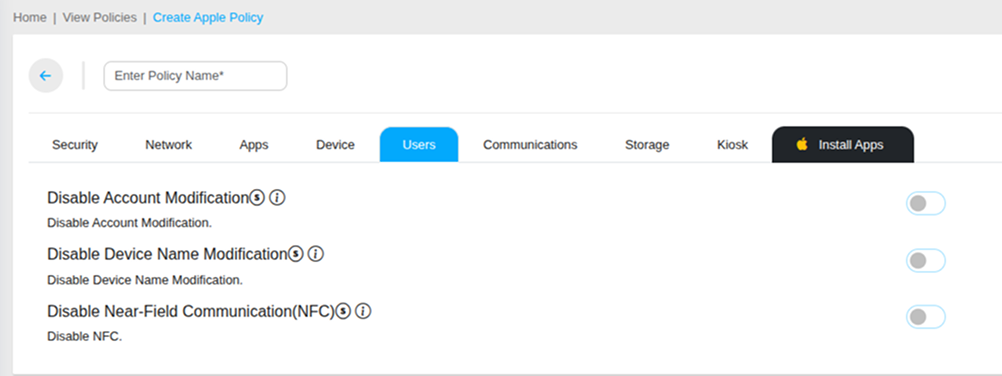
Disable Account Modification
Prevents users from adding, removing, or modifying any accounts on the managed iOS device — including Mail, Contacts, Calendar, and other connected service accounts. This ensures corporate account configurations pushed through MobiHeal remain in place without user interference.
Disable Device Name Modification
Prevents users from changing the device name set during enrollment or configuration. Maintaining consistent device naming conventions is essential for fleet identification and organization in the MobiHeal Managed Devices list.
Disable Near-Field Communication (NFC)
Disables NFC functionality on the managed iOS device, preventing contactless data transfer, Apple Pay transactions, and NFC tag interactions on corporate hardware.
Communications Controls
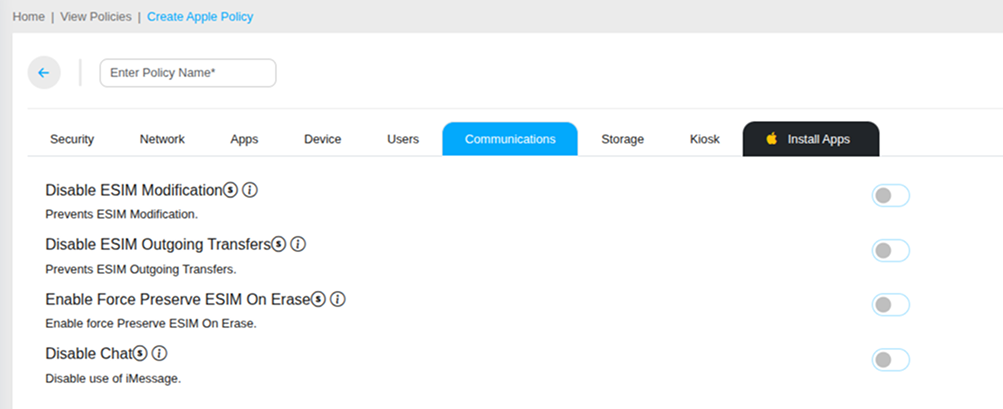
Disable eSIM Modification
Prevents users from adding, removing, or modifying eSIM profiles on the managed iOS device. This ensures corporate cellular configurations remain in place and employees cannot switch to personal eSIM plans on company hardware.
Disable eSIM Outgoing Transfers
Prevents the eSIM profile from being transferred out of the managed iOS device to another device. Protects corporate cellular plan assignments from unauthorized transfer.
Enable Force Preserve eSIM on Erase
Ensures the eSIM profile is preserved when the iOS device is erased — so the corporate cellular configuration does not need to be reconfigured after a device wipe or re-enrollment.
Disable Chat (iMessage)
Disables Apple's iMessage service on the managed iOS device. When enabled, the Messages app will only support standard SMS and MMS — all iMessage-specific features including end-to-end encrypted messaging, read receipts, and media sharing via iMessage are disabled. Use this to enforce corporate communication tools as the primary messaging platform.
Storage Controls
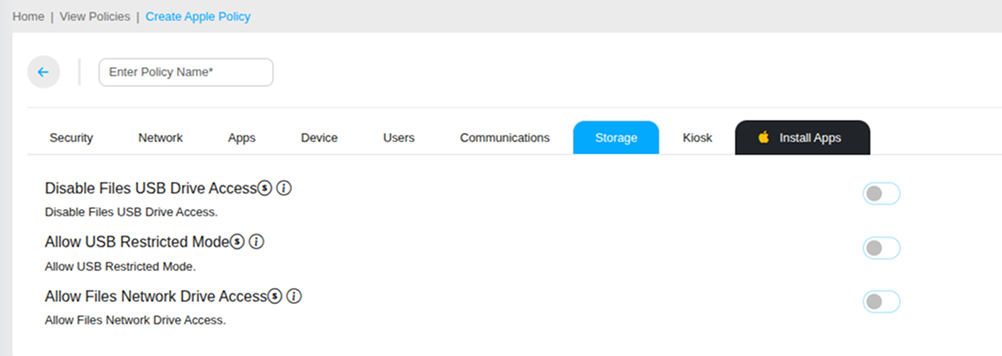
Disable Files USB Drive Access
Prevents the managed iOS device from accessing USB drives connected through the Lightning or USB-C port via the Files app. This blocks unauthorized data transfer between the corporate iOS device and external USB storage devices.
Allow USB Restricted Mode
Enables Apple's USB Restricted Mode — which blocks USB accessories from connecting to the device if it has been locked for more than one hour. This protects managed iOS devices from unauthorized data extraction tools that require a USB connection to a locked device.
Disable Files Network Drive Access
Prevents the managed iOS device from accessing network drives via the Files app — including SMB file servers and other network-attached storage. This ensures corporate iOS devices cannot be used to browse or transfer data from unauthorized network storage locations.