Policy Security Settings
The General Security section is the first configuration area within the Security tab. These settings define the fundamental system-level security behaviors of every Android device assigned to this policy — controlling how the device locks, protects its data, and restricts user actions that could compromise management control.
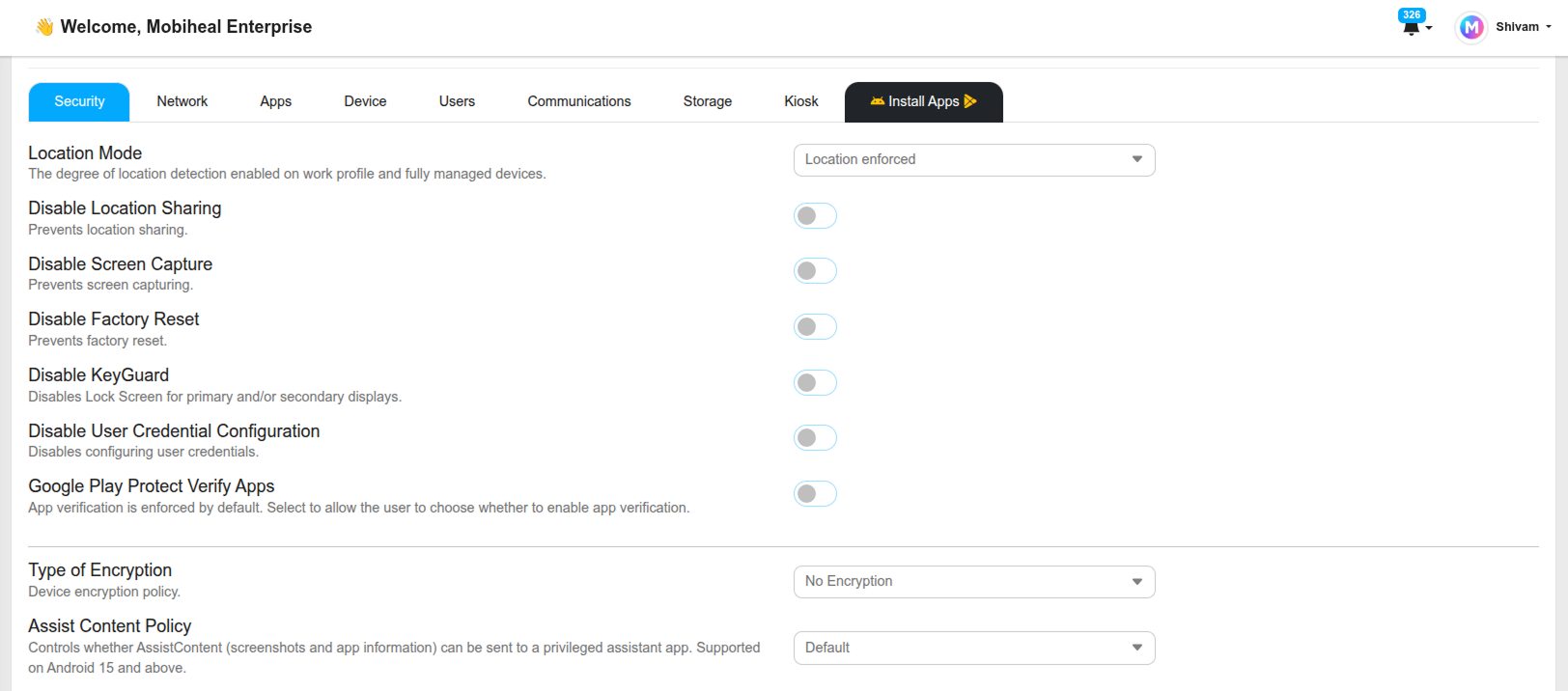
Location Settings
Location Mode
Define how the device handles location services. Force High Accuracy mode — which uses GPS, Wi-Fi, and mobile networks together — or leave it as Location User Choice, allowing employees to configure location settings themselves.
Disable Location Sharing
Prevents the device from sharing location data with third-party applications — protecting employee privacy and preventing apps from broadcasting device location to unauthorized services.
Screen & Display Security
Disable Screen Capture
Blocks screenshots and screen recordings on the device entirely. Protects sensitive on-screen data — such as confidential documents or customer records — from being captured and shared outside the organization.
Disable KeyGuard
Prevents the lock screen from appearing on primary or secondary displays. Use this in controlled kiosk or digital signage environments where a lock screen would interrupt the user experience but the physical environment is already secure.
Device Integrity Controls
Disable Factory Reset
One of the most critical settings for corporate-owned Android devices. Enabling this prevents users from performing a factory reset — which would wipe the device and remove MobiHeal management control entirely. Always enable this on fully managed corporate devices.
Disable User Credential Configuration
Blocks users from configuring or changing device credentials — preventing them from adding, removing, or modifying account-level authentication settings on the device.
App Security
Google Play Protect
Forces the device to continuously scan all installed applications for malware and security threats. Enable this on all Android policies to maintain a baseline level of app security across your fleet.
Type of Encryption
Select the encryption standard applied to the Android device's storage. Full device encryption is recommended for all corporate-owned devices that handle sensitive data.