Password Policies
The Password Policies section defines the complexity and strength requirements for the Android device passcode. Strong password policies are your first line of defense against unauthorized physical access — ensuring that even if a device is lost or stolen, its data remains inaccessible.
Password Quality
Select the minimum passcode type required on the Android device. If a user's current passcode does not meet the requirement, they will be prompted to update it before gaining access.
- Numeric — Numbers only. Suitable for low-risk or kiosk environments.
- Alphanumeric — A combination of letters and numbers. A stronger baseline for standard corporate devices.
- Complex — Requires a specific mix of character types defined by the fine-grained controls below. Recommended for high-security environments.
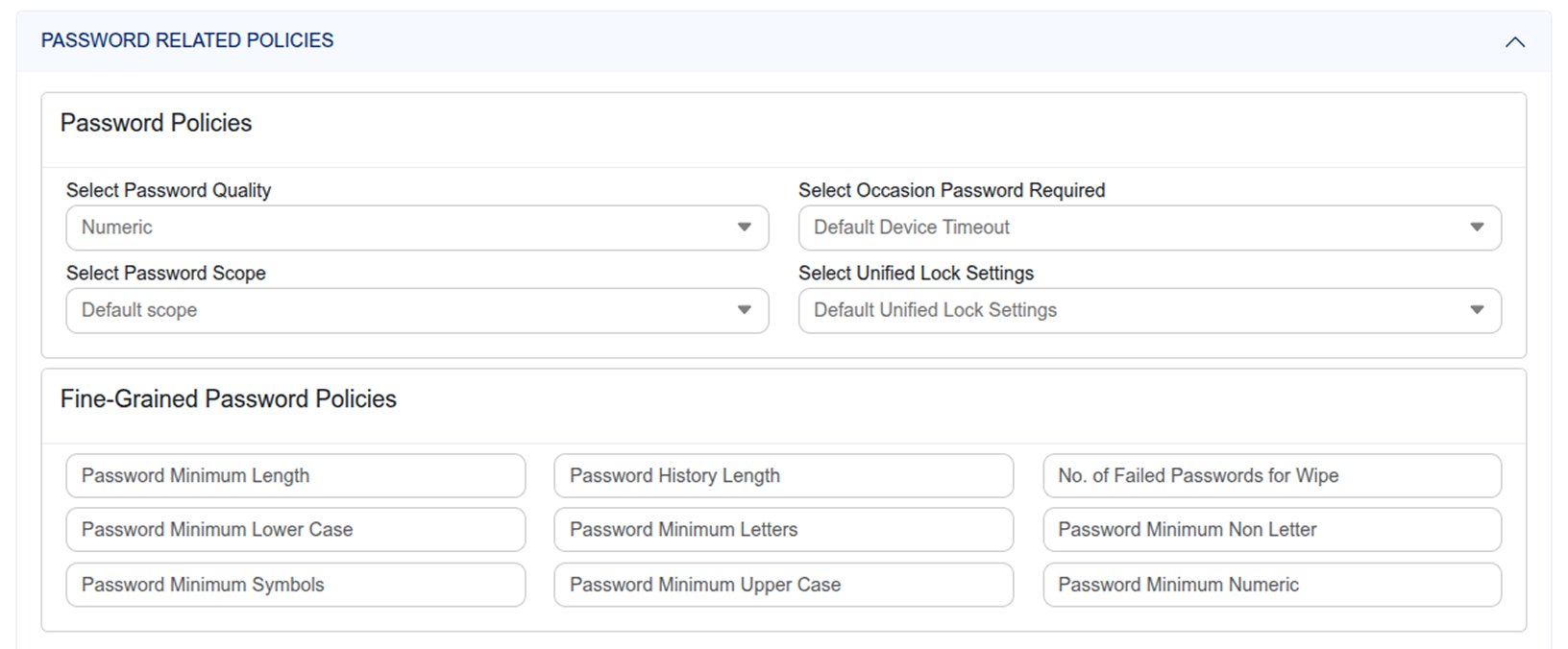
Password Scope
Choose whether the password policy applies to the entire device (Default scope) or specifically to the Work Profile on BYOD devices — where only the work container requires the configured password strength.
Fine-Grained Password Controls
Password Length
Set the minimum number of characters required. For example, setting this to 6 means the passcode must be at least 6 characters. A minimum of 8 is recommended for corporate Android devices.
Failed Password Wipe Threshold
Set the number of consecutive failed unlock attempts after which the device automatically factory resets to protect corporate data. For example, setting this to 10 means that after 10 failed attempts, all data on the device is wiped immediately and irreversibly.
Password History Length
Define how many previous passwords the device remembers and blocks from reuse. For example, setting this to 3 means users cannot reuse any of their last 3 passwords — preventing employees from cycling back to old, potentially compromised passwords.
Complex Password Requirements
When Password Quality is set to Complex, additional controls define the exact character composition required. Configure each minimum character count:
- Minimum Lowercase Letters — Minimum number of lowercase alphabetic characters required.
- Minimum Letters — Minimum total number of alphabetic characters of any case.
- Minimum Non-Letter Characters — Minimum number of characters that must not be letters.
- Minimum Symbols — Minimum number of special characters such as !, @, #, or $.
- Minimum Uppercase Letters — Minimum number of uppercase alphabetic characters required.
- Minimum Numeric Characters — Minimum number of digit characters required.