Advanced Security Overrides
The Advanced Security Overrides section closes security gaps that technically capable users might exploit on managed Android devices — such as enabling developer tools, sideloading unauthorized apps, or bypassing app verification. For most corporate deployments, all settings in this section should be enabled.
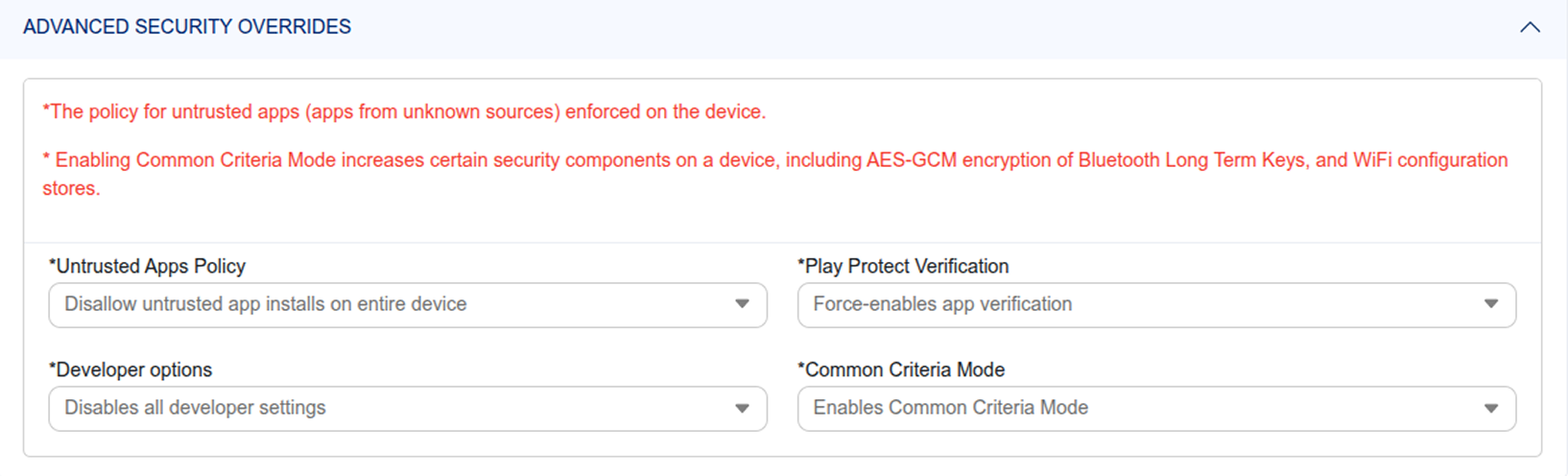
Untrusted Apps Policy
Disallow the installation of Android applications from unknown sources — commonly known as sideloading APK files. When enabled, only apps distributed through the Managed Google Play Store configured by IT can be installed. This blocks employees from installing unvetted, potentially malicious software from third-party websites or file-sharing services.
Recommended: Enable this on all Android corporate policies to eliminate the risk of unauthorized app installation.
Developer Options
Disallow all developer settings on the Android device — preventing users from enabling USB debugging, mock locations, wireless debugging, or any other tools accessible through the Android Developer Options menu. These tools can be used to bypass management controls or extract data from the device.
Common Criteria Mode
Enable this to strengthen the Android device's cryptographic security components — specifically increasing the security of AES-GCM encryption used for Bluetooth Long Term Keys and Wi-Fi configuration stores. Recommended for high-security deployments in government, financial services, or healthcare environments with strict compliance requirements.
Play Protect Verification
- Force App Verification — The Android device is required to continuously verify all installed apps using Google Play Protect, regardless of user preference. Recommended for all managed corporate devices.
- User Choice — The employee can choose whether to enable or disable Play Protect verification themselves. Not recommended for security-conscious deployments.