Policy Enforcement Rules
Updated on May 5, 2026 2 Minutes to read
Policy Enforcement Rules define what happens automatically when an Android device fails to comply with the requirements set in your policy. Instead of requiring manual IT intervention, MobiHeal can automatically escalate enforcement — first blocking access, then wiping the device — after defined grace periods expire.
Block Action
The first level of enforcement triggered when a device does not meet policy requirements within the allowed time.
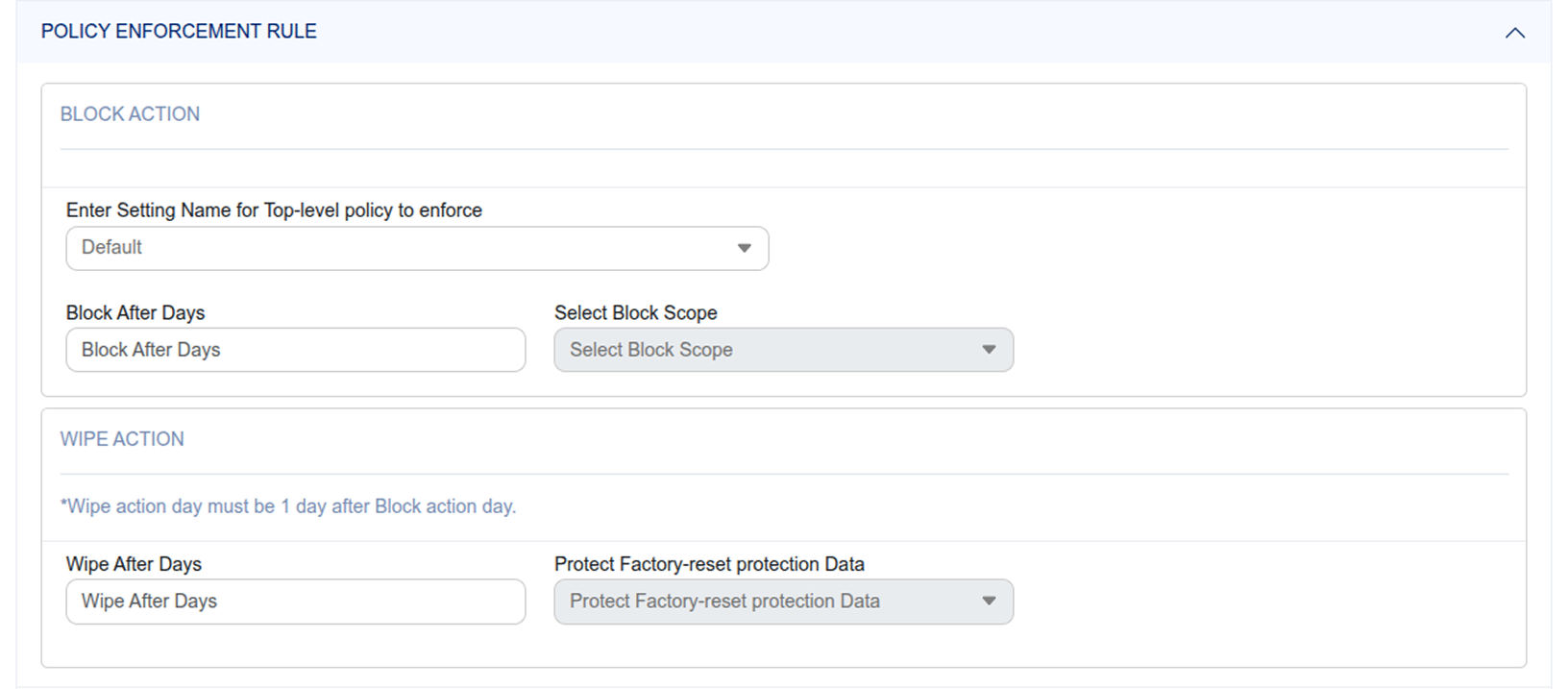
- Setting Name — Enter the name of the top-level policy setting to enforce. This identifies which compliance requirement the block action is tied to.
- Block After Days — Specify the grace period in days. The device has this many days to become compliant before the block action triggers. For example, 3 days gives the user time to set a compliant passcode before being blocked.
- Block Scope — Choose what gets blocked after the grace period expires — specific applications, password enforcement, or other defined restrictions.
Click to zoom
Wipe Action
The final level of enforcement — triggered when a device remains non-compliant even after the Block Action has been applied.
- Wipe After Days — The number of days after which the non-compliant Android device is automatically factory reset. Must be at least 1 day after the Block Action grace period.
- Protect Factory Reset Data — Ensures that even after a remote wipe, the device cannot be reactivated without authorized credentials — preventing an unauthorized person from repurposing a wiped corporate device.
Tip: Always set a meaningful Block After Days grace period to give users time to self-correct before the most severe action is taken. Reserve the Wipe Action for genuinely persistent non-compliance or confirmed security incidents.