Cross-Profile Security Policies
For BYOD Android devices using a Work Profile, MobiHeal provides a dedicated set of controls that manage the security boundary between the employee's personal data and the organization's work data. These settings prevent both accidental and intentional data leakage between the two profiles — ensuring corporate information stays within the managed work container at all times.
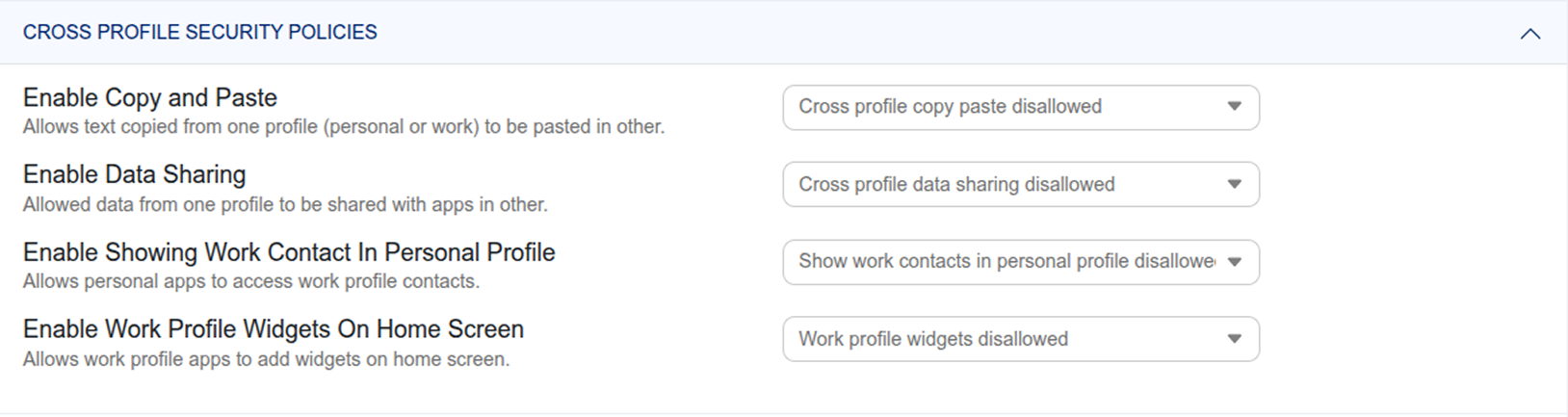
Copy and Paste Between Profiles
Control whether text can be copied from the Work Profile and pasted into personal apps — and vice versa. Setting this to disallowed means employees cannot copy a sensitive work document, email, or customer record and paste it into a personal messaging app or notes application.
Recommended: Set cross-profile copy-paste to Disallowed on all BYOD Android policies to prevent sensitive work data from leaking into personal apps.
Data Sharing Between Profiles
Toggle whether data can be shared between the work and personal profiles at all. Disabling cross-profile data sharing prevents work apps from sending data to personal apps — for example, blocking a work document from being opened in a personal file manager or shared via a personal social media app.
Work Contacts in Personal Profile
Allow the personal phone dialer to display work contacts for caller ID purposes. Employees can see the names of work colleagues calling their personal number without giving the personal dialer full access to the entire work contacts directory.
Work Profile Widgets on Home Screen
Allow or block work app widgets from appearing on the personal home screen. When allowed, employees can place widgets from work apps — such as a calendar or email preview — on their personal home screen for convenience.