User & Account Restrictions
The Users tab controls how user profiles and accounts are managed on the Android device. These settings prevent unauthorized individuals from creating new user profiles, modifying existing accounts, or making interface changes that could alter the device's identity or undermine management control.
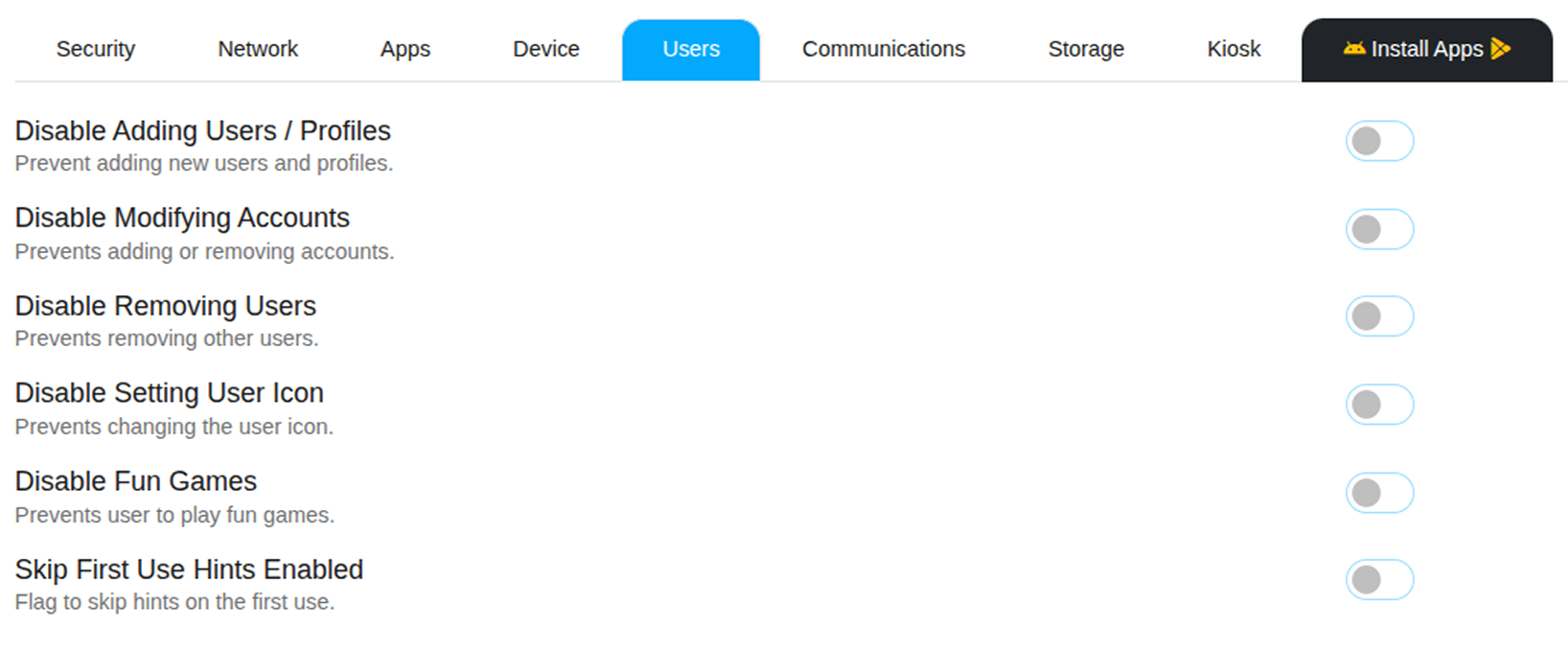
Account Management Controls
Disable Adding or Removing Users
Prevents the creation of new secondary user profiles or guest accounts on the Android device. On a corporate-owned device, only the primary managed user profile should exist — this setting enforces that boundary and prevents employees from adding personal accounts or sharing the device with other users.
Disable Modifying Accounts
Blocks the user from changing the details of any existing accounts on the Android device — including Google accounts, Exchange email accounts, or any other connected services. This prevents unauthorized account swapping, removal, or modification that could affect app access or data sync.
Disable Setting User Icon
Locks the profile picture on the device, preventing users from changing their account avatar. A minor but useful setting for maintaining a consistent device identity — particularly on shared or kiosk Android devices.
Interface Controls
Disable Fun Games
Removes the hidden Easter egg games that Android includes within its system settings — for example, the hidden game accessible by repeatedly tapping the Android version number in About Phone. This keeps corporate Android devices focused on work and prevents distractions from unexpected system features.
Skip First Use Hints
Suppresses the tutorial pop-ups and onboarding hints that Android shows when an app is opened for the first time. This streamlines the user experience on enrolled, shared, or kiosk Android devices where these prompts serve no useful purpose and may confuse non-technical users.