Device Functionality Controls
The Device tab allows administrators to configure core device functionality and system-level behavior on managed Android devices. These controls help organizations enforce security policies, restrict access to hardware components, and standardize device configurations across all enrolled devices. Administrators can control features such as camera and microphone access, device time settings, lock screen information, support messages, and screen timeout policies.
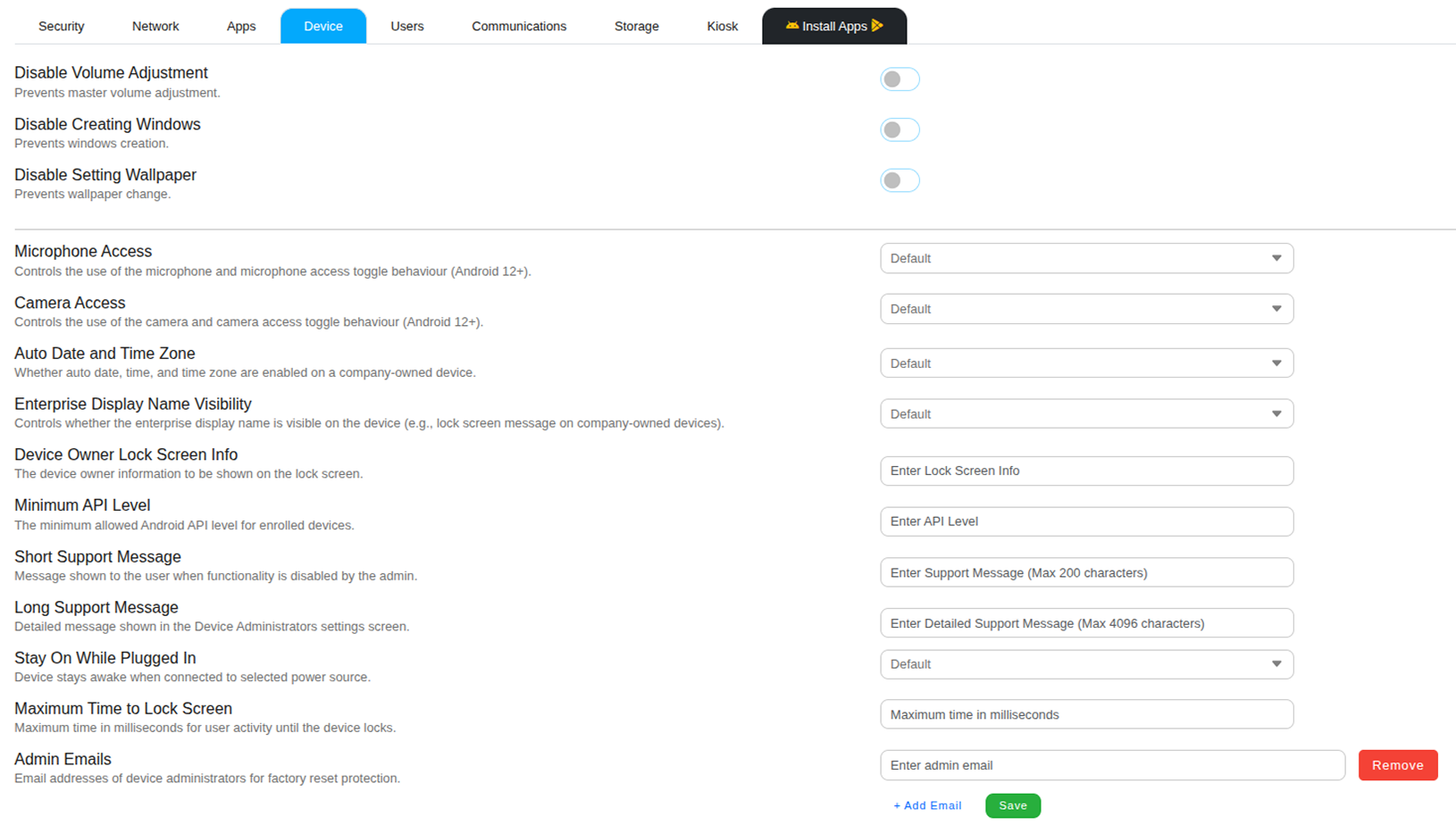
Device Restrictions
Disable Volume Adjustment
Prevents users from adjusting the device’s master volume using either hardware buttons or on-screen controls. This ensures that the audio level remains fixed, which is useful for kiosks, digital signage systems, or enterprise devices that require consistent sound settings.
Disable Creating Windows
Blocks applications from creating additional windows, overlays, or pop-up elements on top of other applications. This restriction helps maintain a clean device interface and prevents unauthorized overlays that could interfere with device usage.
Disable Setting Wallpaper
Prevents users from changing the device wallpaper on the home screen or lock screen. This helps maintain a consistent corporate appearance across managed devices by keeping a predefined wallpaper or company branding.
Device Access Controls
Microphone Access
Controls whether applications are allowed to access the device microphone. Administrators can configure this setting to allow, deny, or follow the default system behavior. Restricting microphone access prevents applications from recording audio on the device.
Camera Access
Controls whether the device camera can be used by applications. When disabled, the device cannot capture photos or videos. This restriction is commonly applied in secure environments where image or video capture is not permitted.
Device Configuration Settings
Auto Date and Time Zone
Controls whether the device automatically synchronizes its date, time, and time zone using network-provided settings. Enabling this option ensures that all managed devices maintain accurate and consistent system time.
Enterprise Display Name Visibility
Determines whether the organization’s name is displayed on the device interface. The enterprise display name may appear on the lock screen or other system areas to indicate that the device is managed by the organization.
Device Owner Lock Screen Info
Allows administrators to define a custom message that appears on the device lock screen. This information can include company contact details, asset identification, or instructions for returning a lost device.
Minimum API Level
Defines the minimum Android API level required for devices to comply with the policy. Devices running an Android version below the specified API level may be marked as non-compliant or restricted from accessing enterprise services.
Support Messages
Short Support Message
Displays a short message to users when certain device functionality is restricted by the administrator. This message helps users understand why a feature is unavailable and where they can seek assistance.
Long Support Message
Displays a detailed support message within the device administration settings screen. Organizations can use this message to provide help desk contact information, troubleshooting guidance, or policy explanations.
Power and Lock Screen Controls
Stay On While Plugged In
Keeps the device screen active while the device is connected to a power source. This setting is commonly used for kiosk devices, point-of-sale systems, or monitoring displays that must remain continuously visible.
Maximum Time to Lock Screen
Defines the maximum period of inactivity before the device automatically locks. Configuring a shorter lock timeout improves device security by preventing unauthorized access to unattended devices.
Admin Emails
Specifies the email addresses of device administrators associated with factory reset protection. These email accounts may be required when performing certain administrative actions such as resetting a managed device.