Network Configuration — Main Restrictions
The Network tab within Policy Management gives you granular toggle controls to prevent Android device users from modifying essential connectivity settings. Enabling these restrictions ensures devices always remain connected to the networks and channels authorized by IT — and cannot be reconfigured by the end user to bypass those controls.
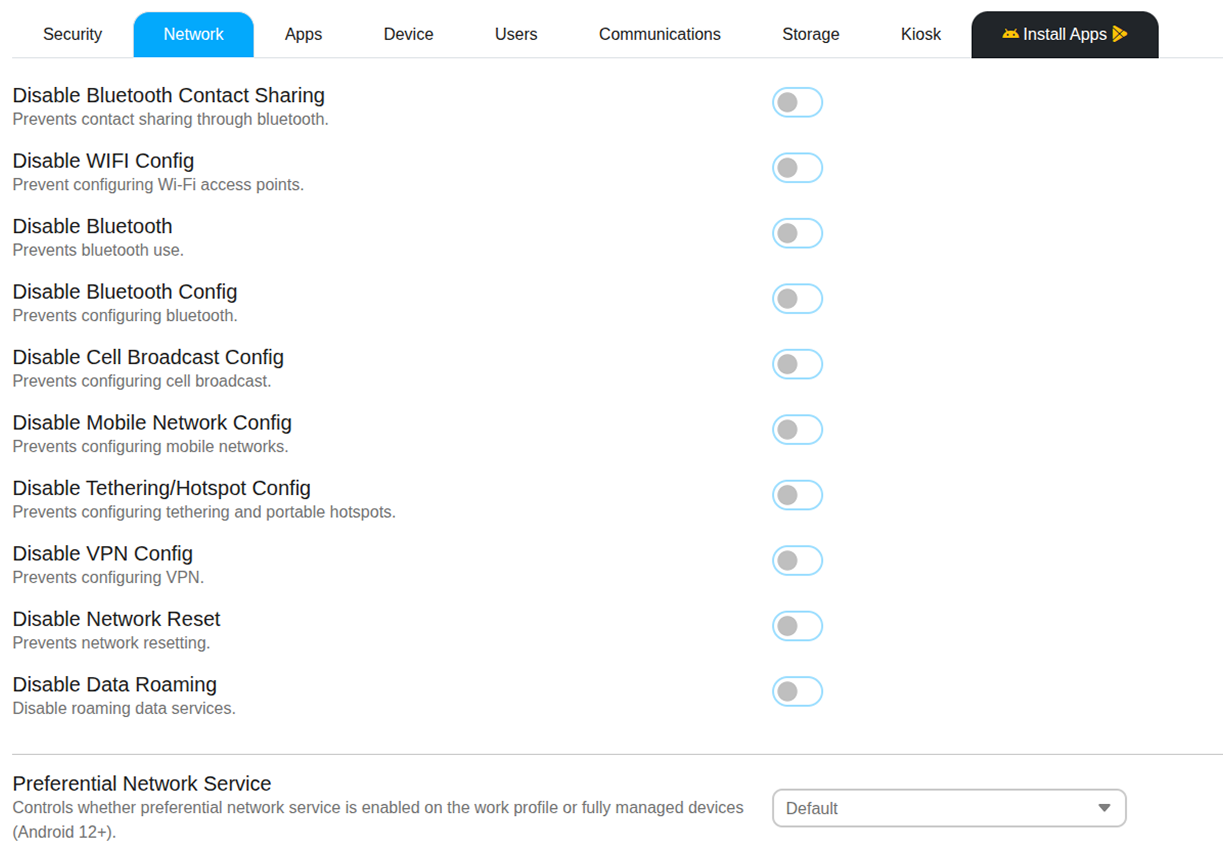
Bluetooth Controls
- Disable Bluetooth — Completely turns off Bluetooth functionality on the Android device. The radio is deactivated and the user has no ability to enable it.
- Disable Bluetooth Config — Keeps the Bluetooth radio active but prevents the user from pairing new devices or modifying existing Bluetooth connections. Use this when Bluetooth peripherals such as scanners or headsets are pre-paired and should not be changed.
- Disable Bluetooth Contact Sharing — Blocks the device from sharing address book data via Bluetooth, protecting employee and customer contact information.
Wi-Fi & Cellular Controls
- Disable Wi-Fi Config — Prevents users from modifying any Wi-Fi settings — including forgetting a network, connecting to a personal hotspot, or adding new networks manually.
- Disable Mobile Network Config — Locks cellular settings to prevent users from changing APNs or carrier-level configurations.
- Disable Data Roaming — Blocks mobile data usage when the Android device is outside its home network, preventing unexpected roaming charges on corporate SIM cards.
- Disable Tethering / Hotspot Config — Prevents the Android device from being configured as a portable Wi-Fi hotspot or USB tether, stopping unauthorized internet sharing.
- Disable VPN Config — Blocks users from manually adding, removing, or modifying VPN profiles. Only IT-configured VPN connections remain available.
- Disable Network Reset — Prevents the user from resetting all network settings to factory defaults, which would remove pre-configured Wi-Fi profiles and VPN configurations.
Preferential Network Service
Preferential Network Service controls whether Android directs work-profile or fully managed device traffic through a prioritized network channel. This policy is available on Android 12 and later devices.
When enabled, the system gives priority routing to enterprise traffic generated by managed apps or the work profile. This helps ensure stable connectivity for corporate services such as VPN, secure apps, and backend communication.
- Default — The device follows the Android system's default network routing behavior. No specific priority is enforced by the policy.
- Disabled — Preferential routing is turned off. Work profile and managed app traffic will use the same network selection rules as normal device traffic.
- Enabled — Enterprise traffic from managed apps or the work profile is prioritized through the preferred network path defined by the system or enterprise configuration. This can improve reliability for business applications.